
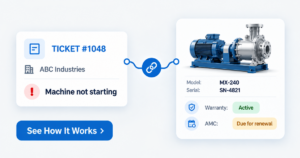
Quick Answer
A helpdesk with asset management logs every support ticket against the exact thing the customer owns — the machine, the equipment, the licence, or the contract — along with its warranty, AMC status, and service history. Most low-cost tools log the ticket against a customer name and stop there. For support teams still checking warranty in Excel and machine history on WhatsApp, this is where repeat visits, free work on expired contracts, and slow first responses begin.
One support coordinator owns the complaint inbox. This person knows which customer has which machine, which unit is still under warranty, and which AMC lapsed in March. None of that is on the ticket. Without a helpdesk with asset management, it lives in one person’s head. This works until it doesn’t. The coordinator goes on leave, a breakdown call comes in, and the field engineer reaches the site with the wrong spare for the wrong model. The customer calls twice more before anyone finds the warranty date.
Why low-cost helpdesk tools stop at the customer name
Most low-cost helpdesk tools are built to manage an inbox. A complaint comes in, it gets a ticket number, an agent, a status, and a customer name. For a business that sells one simple product, that is enough.
It is not enough when one customer has twelve machines across three sites. Or five service contracts with five different end dates. The ticket says “Customer: ABC Industries. Issue: machine not starting.” It does not say which machine.
So the coordinator opens the installation register. Then the warranty sheet. Then a WhatsApp group to ask who visited last time. The customer waits while your team looks up what the system should already know.
A ticket without an asset is only half a complaint.
This is the difference between a basic issue tracking system and a helpdesk with asset management, built for businesses that support what they sell.
What breaks when tickets are not connected to assets
The gap rarely shows up as one big failure. It shows up in five small ones, every week:
- Warranty and AMC status is checked by hand. Every ticket starts with the same question: is this covered? Someone opens an Excel sheet to find out. If that sheet is out of date, the answer is wrong.
- Repeat failures stay invisible. The same machine breaks down four times in six months. The helpdesk shows four separate closed tickets. Nobody sees one machine with a recurring problem.
- The field engineer goes in blind. No model number, no serial number, no record of what was replaced last time. The first visit becomes a diagnosis visit. The second visit does the repair.
- Free service goes out on expired contracts. Nobody checked the AMC end date before sending the engineer. The work is done, and the invoice conversation becomes awkward.
- Management reports count tickets, not problems. The Service Head can say how many tickets were closed this month. Nobody can say which machine, product line, or site is creating the most work.
The ticket was closed. The problem was not.
Still checking warranty in a separate Excel sheet?
See what your support team gains when every ticket carries the machine and its history.
Talk to Our Team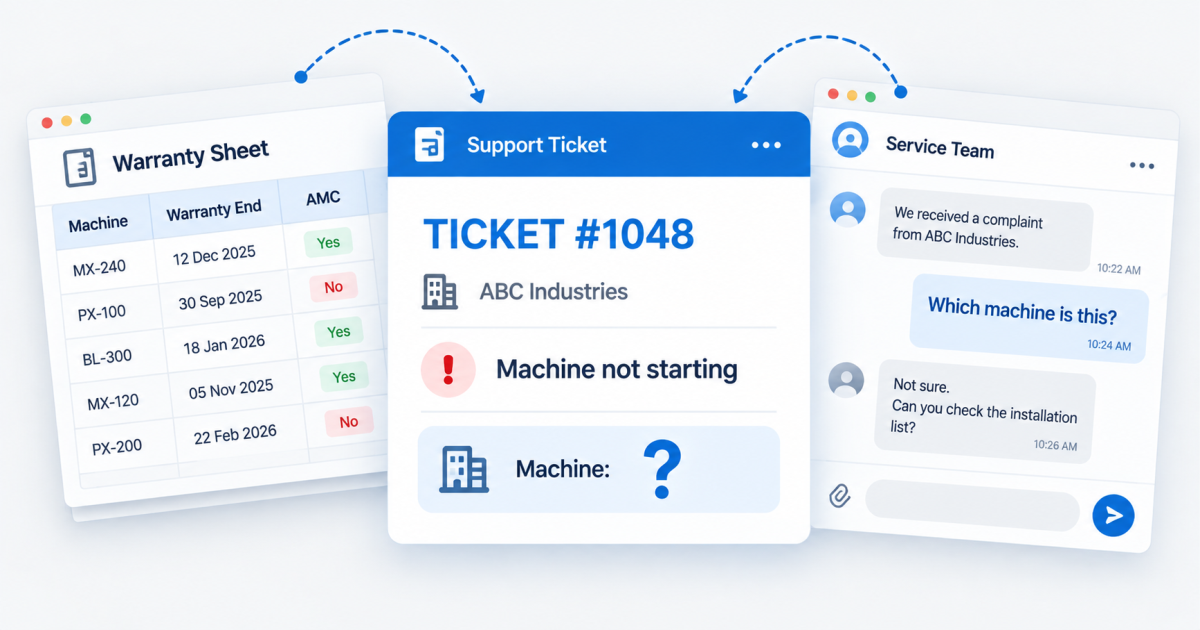
What a helpdesk with asset management looks like in practice
The fix is not more fields on the ticket form. It is a link between two records: the ticket, and the asset it is about.
Each asset has its own record — model, serial number, installation date, site, warranty end date, AMC status, and every past ticket. When a complaint is logged, the coordinator selects the asset. Everything else follows.
Here is what changes for the team:
- Coverage is visible the moment the ticket is logged. In warranty, under AMC, or chargeable — the coordinator knows before assigning the engineer.
- The engineer sees the history before the visit. What failed last time, what was replaced, and what the customer was told.
- Repeat failures show up per asset. Four tickets on one machine look like four tickets on one machine, not four unrelated complaints.
- The AMC renewal conversation starts from the service record. Your team knows what was serviced this year before they call about next year.
- Management sees where service effort is going. By machine, by product line, by site, by customer.
The history belongs to the asset, not to the person who remembers it.
This is how service tickets work inside EngiFlow360 for machinery and equipment businesses, where every complaint sits against the installed machine. The same principle applies to other B2B support teams using TargetCRM : the ticket lives on the customer’s record, next to what they bought.
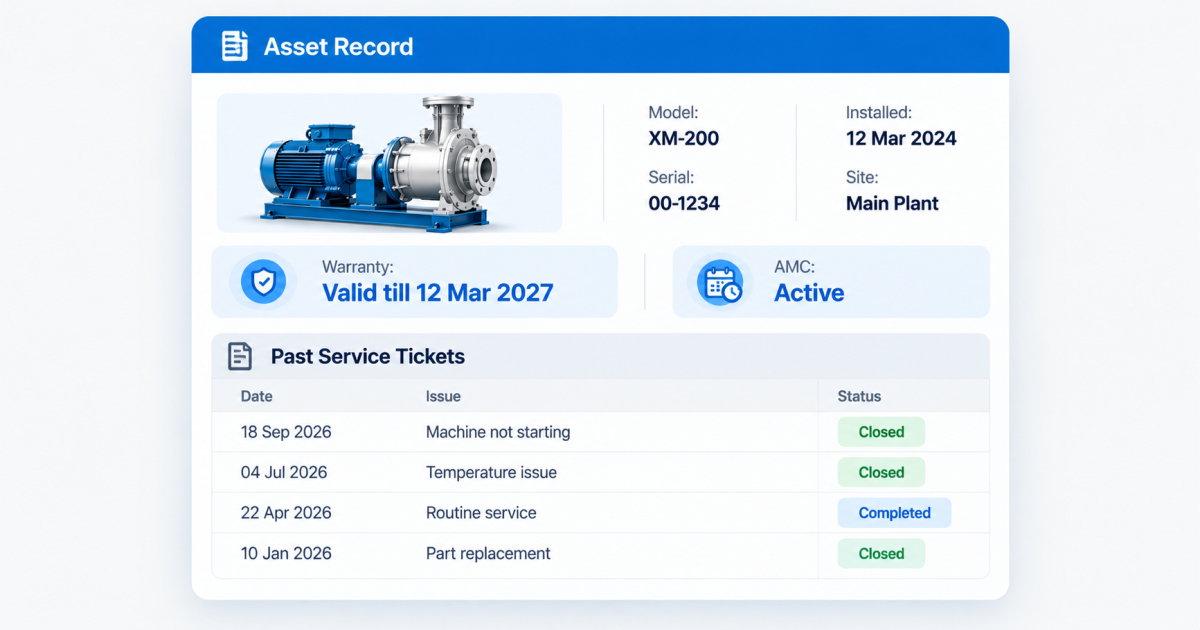
Every ticket linked to the machine it is about
We can walk you through how service tickets, warranty, AMC, and machine history sit together in one system.
Book a WalkthroughFive questions to ask before you choose a helpdesk tool
Price per user is the easiest thing to compare. It is rarely where the real cost sits. Ask these before you decide:
- Can a ticket be logged against a specific asset , not only a customer?
- Does the ticket show warranty and AMC status without opening another sheet?
- Can I see every past ticket for one machine or contract in one place?
- Can a field engineer see that history on mobile before reaching the site?
- Can reports be grouped by asset, product line, or site — not only by agent and status?
If the answer to the first question is no, the other four do not matter. A helpdesk with asset management passes all five.
A low-cost tool is not the problem. A tool that does not know what your customer owns is. The saving on the subscription comes back later as repeat visits, unbilled work, and customers who have to explain their machine every time they call. If your wider sales and service process has the same gap, read why operational efficiency comes before chasing more revenue .
A helpdesk should know the customer and what the customer owns.
If your team still looks up warranty and machine history outside the ticket, we can show you what changes.
Talk to Our TeamFAQ HUB
It means every support ticket is logged against the specific item the customer owns — a machine, a piece of equipment, a licence, or a contract — not only against the customer’s name. The ticket then carries that asset’s warranty status, AMC status, and past service history, so the support team does not have to look it up elsewhere.
Most are built for inbox management: receive a complaint, assign it, close it. That works for businesses selling one simple product. It falls short when a customer owns several machines or contracts, because the tool has no record of what was sold, where it was installed, or what cover it carries.
Any business that supports what it sells after the sale. Machinery and equipment manufacturers, dealers handling warranty and AMC, and B2B companies managing multiple contracts per customer feel the gap first. If your team asks “which machine is this?” on most tickets, or checks a separate sheet for warranty, you need it.
The engineer sees the model, serial number, past failures, and parts replaced before reaching the site. That means the right spare goes on the first visit, and the customer does not have to repeat the machine’s history. Without this, the first visit often becomes a diagnosis visit and the repair happens on the second.
Yes, when the ticket is linked to an asset record that holds the warranty end date and AMC status. The coordinator sees whether the job is in warranty, under AMC, or chargeable as soon as the ticket is logged — before an engineer is assigned and before any work is done.
No. The need depends on what you sell, not how big you are. A team of ten supporting installed machines needs asset-linked tickets more than a team of a hundred answering simple product queries. What matters is whether each customer owns more than one thing you have to service, and whether cover differs from one to the next.