

Quick Answer
India is adding data centre capacity faster than ever, and the large cloud providers are expanding inside the country. For a growing business, that means a dependable place to host CRM, files and customer history in India. A cloud strategy for SMEs decides which of those move, where they sit, and who controls them. For businesses whose customer history still lives on personal laptops and one office server, the bigger risk is not the next outage. It is the next resignation.
One senior salesperson keeps the best customer list on a personal laptop. It holds three years of contacts, quotations and follow-up notes, synced to nothing. That person resigns, or the laptop is stolen from a car outside a client’s plant. The customer history leaves with it, and the replacement starts from zero. A cloud strategy for SMEs exists to stop exactly this, and India now has more cloud capacity to support one than ever before.
India’s data centre push, in plain terms
India’s data centre sector has drawn about USD 173 billion in investment commitments since 2021, according to CBRE, with installed capacity expected to reach about 2 GW by the end of 2026. Google, Microsoft and Amazon have each announced investments running into billions of dollars for cloud and AI infrastructure in India.
What does this change for a 60-person manufacturer in Rajkot or a growing distributor in Pune? Less than the headlines suggest, and more than most owners assume.
It does not fix anything on its own. What it does is remove the old excuses. Cloud servers are now in India, close to your teams, from providers who are not going anywhere.
For an owner, the useful question is not how many gigawatts are being built. It is whether your own customer records are safe on Monday morning.
The capacity is ready. The question is whether your data is.
Where your business data lives today
Before choosing any cloud, map where your data already sits. In most growing businesses, it is spread across five places:
- Personal laptops. Customer lists, quotation drafts and price workings, saved locally by each salesperson.
- An office server. The CRM, shared folders, and sometimes accounts, looked after by one IT person.
- WhatsApp. Customer conversations, complaint photos and order confirmations, on personal phones.
- Personal email accounts. Key customer threads sitting in individual Gmail inboxes.
- Pen drives and external disks. What most teams call “the backup”.
Only the second of these belongs to the company in any real sense. The rest leave when people leave.
This map is the first page of any cloud strategy for SMEs.
Is your customer history on someone’s laptop?
Talk to us about bringing it into one system the company owns.
Talk to Our Team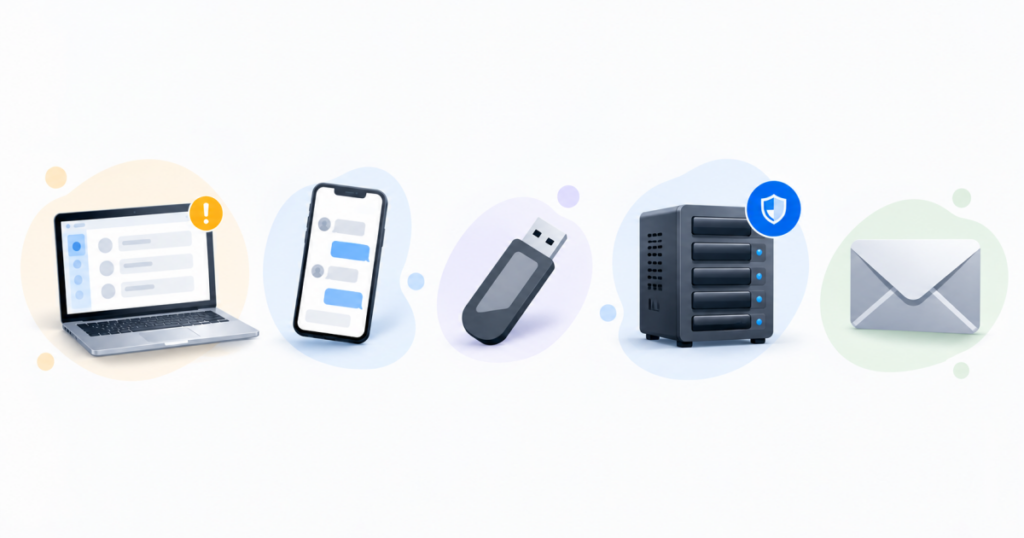
Three places your CRM can live
Once the data is mapped, the next decision is where your CRM and customer records should sit. A cloud strategy for SMEs usually weighs three options:
- On an office server. You have full control, and full responsibility: power, repairs, backups, remote access, and the one person who knows how it all works.
- On a cloud server outside India. This works for many businesses. Check response times for your teams, and whether customers or contracts ask for data to stay in India.
- In an Indian cloud region. Faster for teams across India, and easier to answer when a customer asks where their data sits. You still need someone to own access and backups.
The region decides speed. Ownership decides safety.
Five signs your business needs a cloud strategy now
You do not need a crisis to start a cloud strategy for SMEs. These five signs are enough:
- A resignation would cost you customers. If one salesperson leaving would take customer history with them, the data is in the wrong place.
- Field and branch teams call the office for information. If people outside the office cannot see the CRM themselves, the system is not doing its job.
- Nobody has restored a backup this year. An untested backup is a hope, not a plan.
- The office server has no replacement plan. Nobody knows what happens when it fails, or who decides.
- Monthly reports need files from three places. If management waits for someone to collect them, the data is not in one system.
If two or more of these sound familiar, it is time to write the plan down.
Bring customer data into one system you own
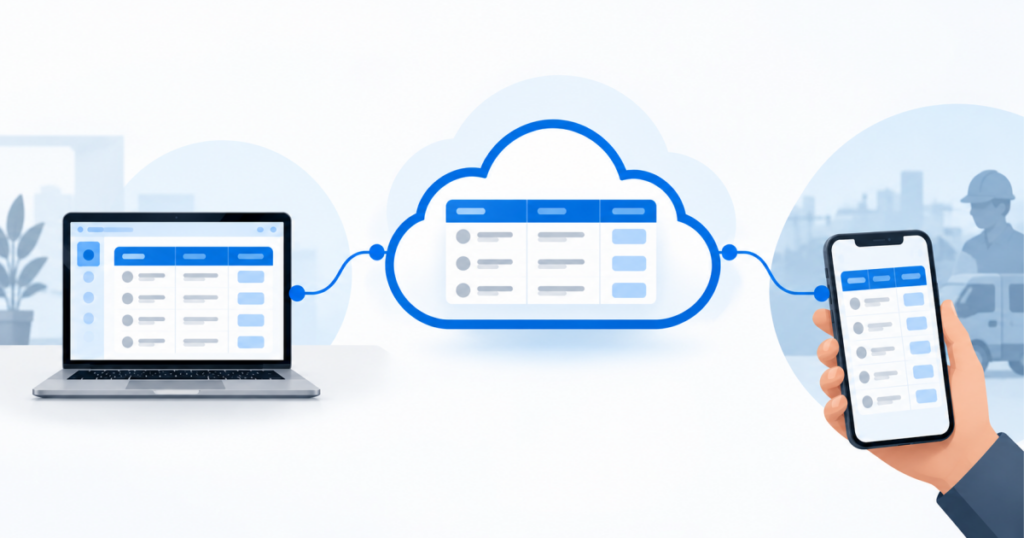
We can walk you through how a CRM runs on AWS or Microsoft cloud, with access and backups owned from day one.
Book a WalkthroughSix questions to ask any cloud or CRM partner
Before you move anything, ask these. The answers tell you more than any brochure:
- Where exactly will our data be hosted? Which country, and which region.
- Who has admin access, and how is it removed when someone leaves?
- How often are backups taken, and when was a restore last tested?
- Can we export all our data in a usable format if we ever leave?
- Who do we call when something breaks, and how quickly do they respond?
- What should move first, and what can wait?
A partner who cannot answer these in plain language is selling hosting, not a strategy.
ECS sets up and supports CRM and business systems on AWS and Microsoft cloud, and these are the questions we expect every customer to ask us. Years of CRM work have taught us that the data an owner worries about most is rarely on the server. It is on someone’s laptop. A cloud CRM such as TargetCRM brings leads, quotations and follow-ups into one record the company owns. For why that structure has to come before growth, read why operational efficiency comes before chasing more revenue, or see ourcloud services.
Your customer history should belong to your company, not to one laptop.
Talk to our team about where your business data should live, and who should own it after the move.
Talk to Our TeamFAQ HUB
It means cloud servers inside India, closer to your teams, from providers expanding their Indian operations. CBRE puts investment commitments since 2021 at about USD 173 billion. For a growing business, the practical effect is a reliable option to host CRM and customer data in India. The decision to move, and what to move, is still yours.
Both can work. An Indian cloud region usually gives faster response times for teams in India and makes it easier to answer customers who ask where their data sits. If a contract or your sector requires data to stay in India, check that requirement with your legal advisor and choose a region that meets it.
Keep customer records in a company-owned system, not on personal laptops, phones or email accounts. Give each person their own login, and remove it on their last working day. When quotations, follow-ups and conversations sit in one CRM, a resignation means a handover, not a loss of customer history or customer trust.
It can be, if someone owns it properly: tested backups, a replacement plan, secure remote access, and cover when the IT person is away. Many growing businesses find that work harder to sustain as users and branches increase. That is usually when moving the CRM and shared files to the cloud makes sense.
Ask where the data will be hosted, who has admin access, how often backups run and when a restore was last tested, whether you can export all your data if you leave, and who you call when something breaks. A good partner answers each of these in plain language, in the first conversation.
Start by mapping where your data lives today. Then move one system first, usually the CRM and shared files, while everything else stays as it is. Test a backup restore before you switch fully. A cloud strategy for SMEs works best in steps, with each move stable before the next one begins.